Appearance
How to configure Paddle?
Last update: Oct 10, 2026
1. Login & SignUp
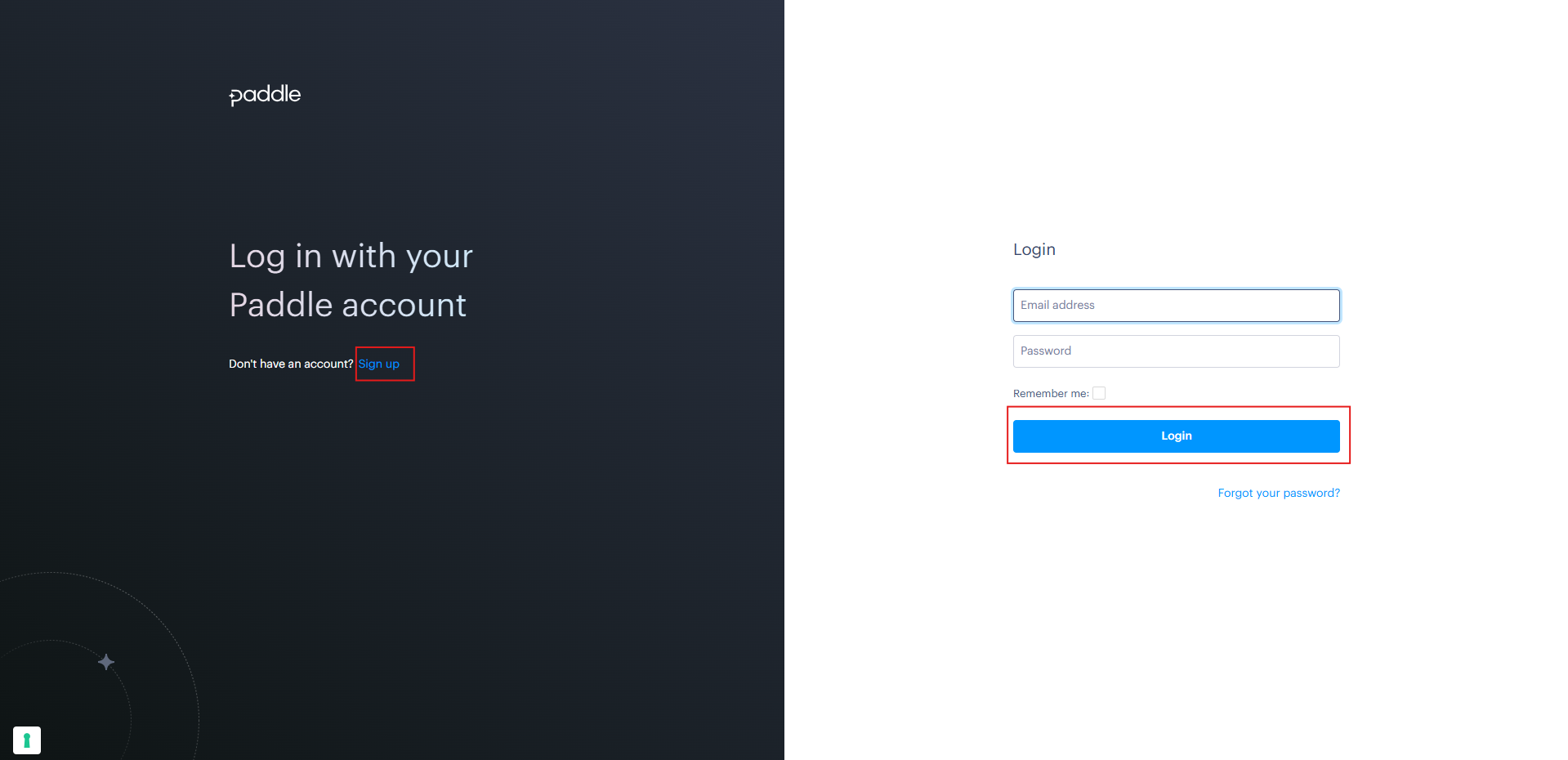
Go to Paddle. If you have a Paddle account, login; else, Create Account.
2. Paddle dashboard
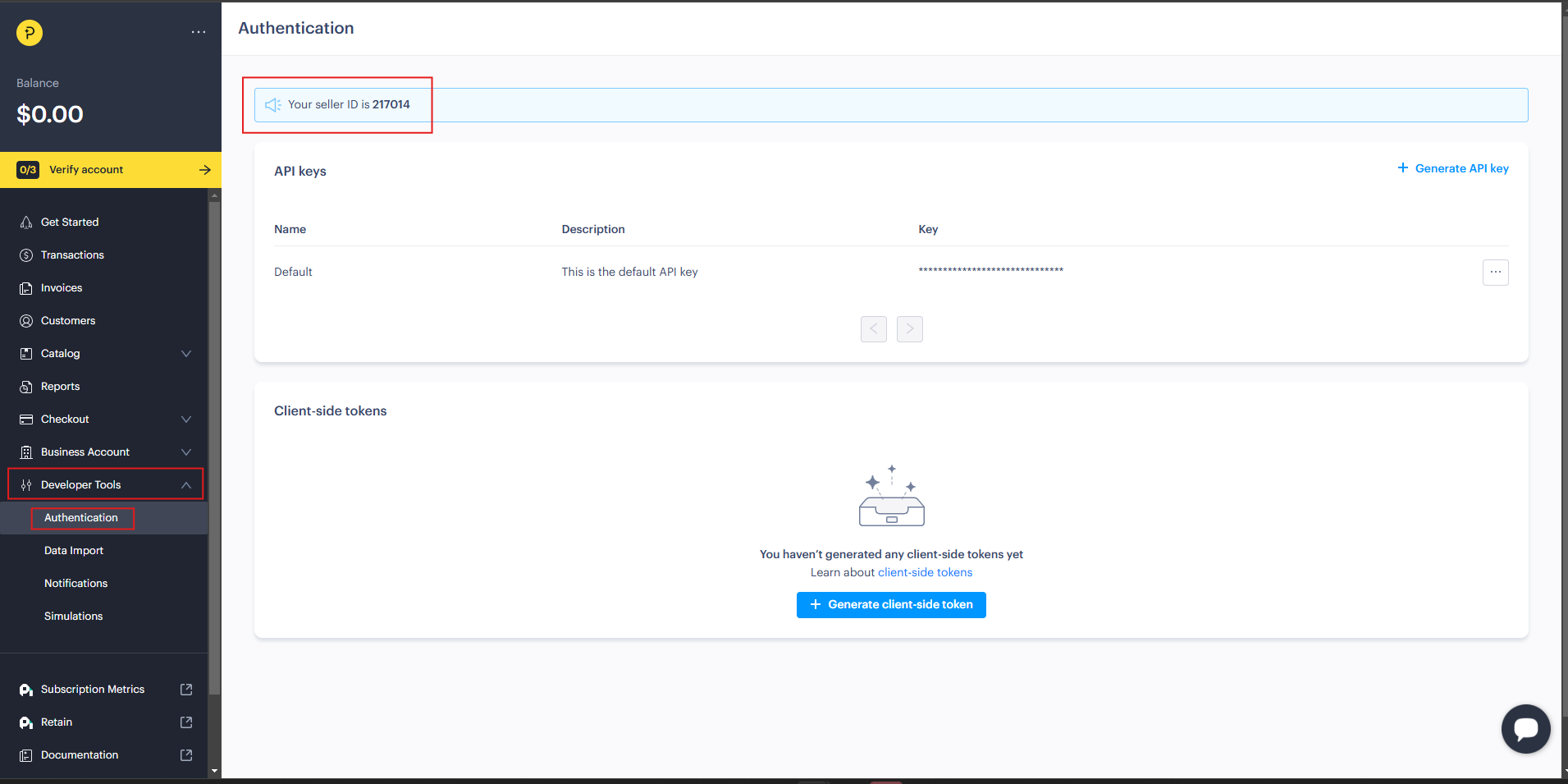
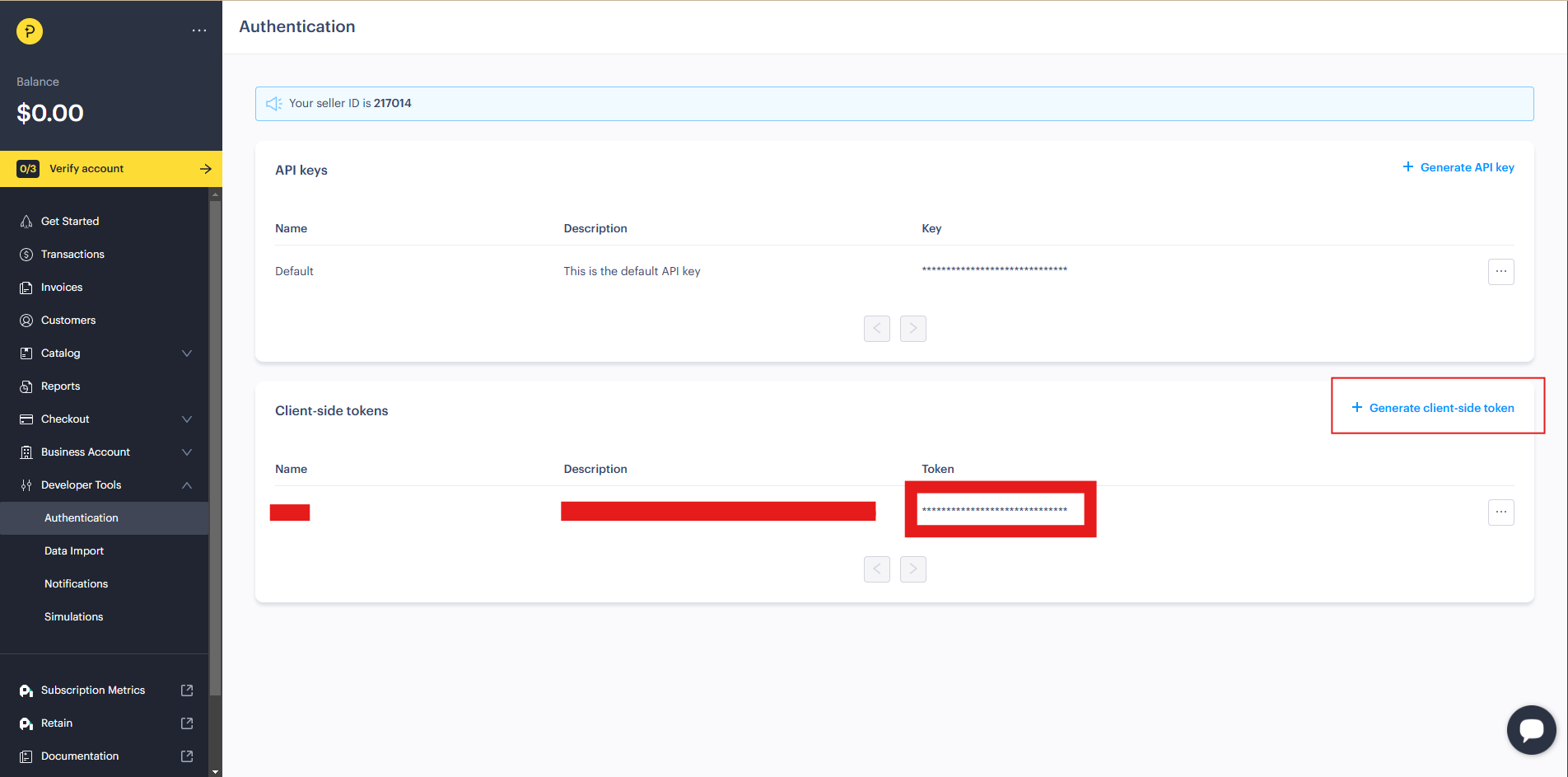
After logging into your Paddle dashboard, navigate to: Developer Tools -> Authentication and copy the Seller ID.
3. Generate API Key
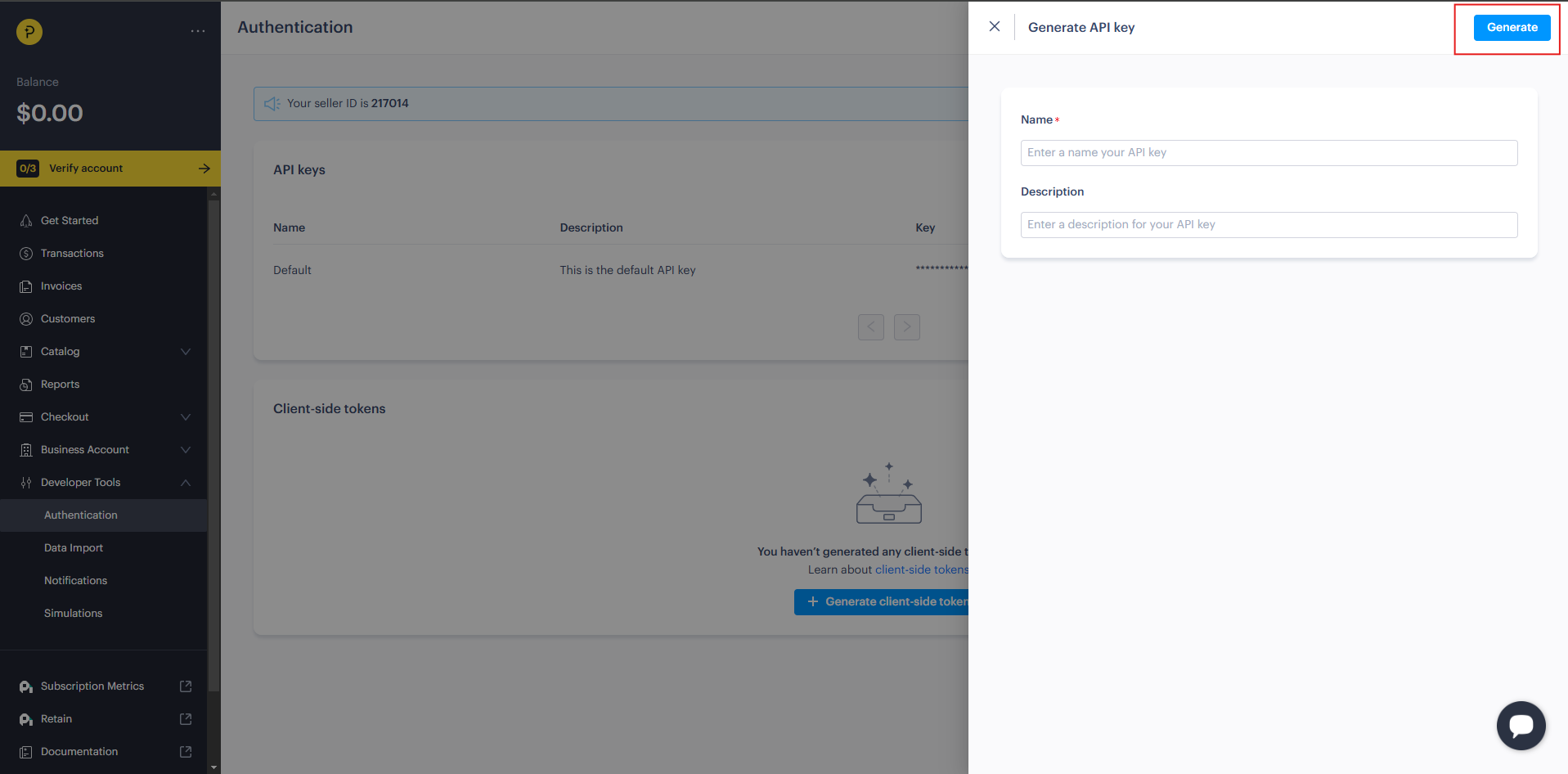
To obtain your API keys in Paddle, go to Authentication, find the Generate API Key option, click Generate, and copy the API Key.
4. Generate Client Token
To obtain your Client Token in Paddle, go to Authentication, find the Generate Client Token option, click Generate, and copy the Client Token.
4. Admin Panel Setup
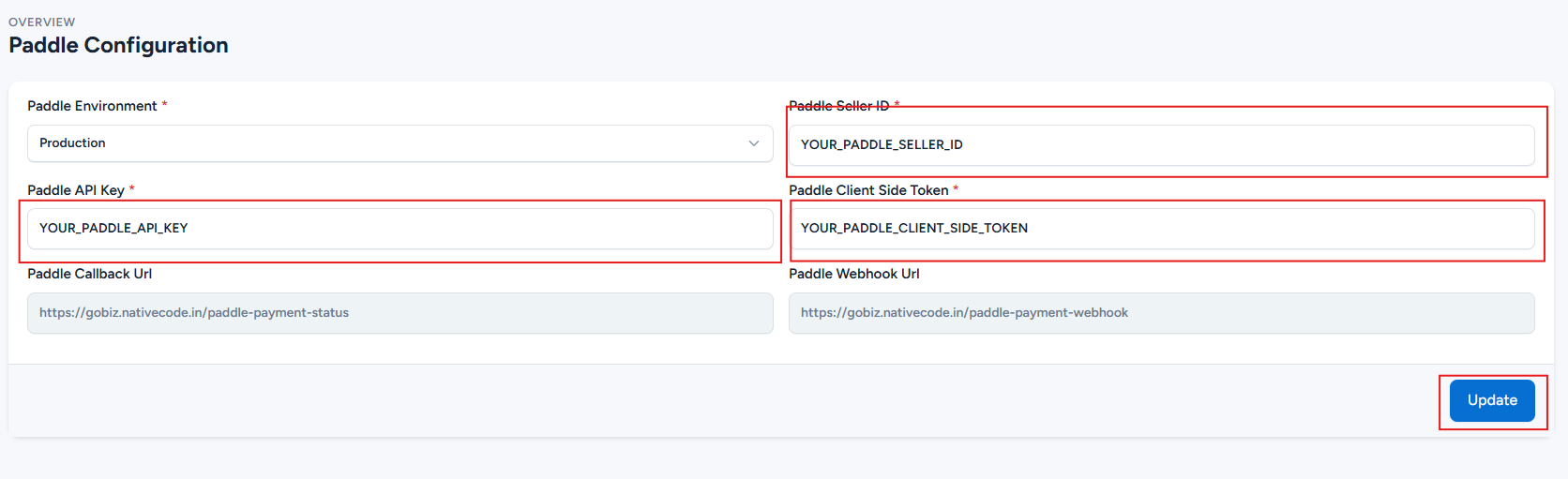
In the admin panel, go to: Payment Gateways -> Paddle -> Configure
Paste the Seller ID, API Key, Client Token. Then, click 'Update' to save your changes.