Appearance
How to configure Toyyibpay?
Last update: Oct 10, 2026
1. Login & SignUp
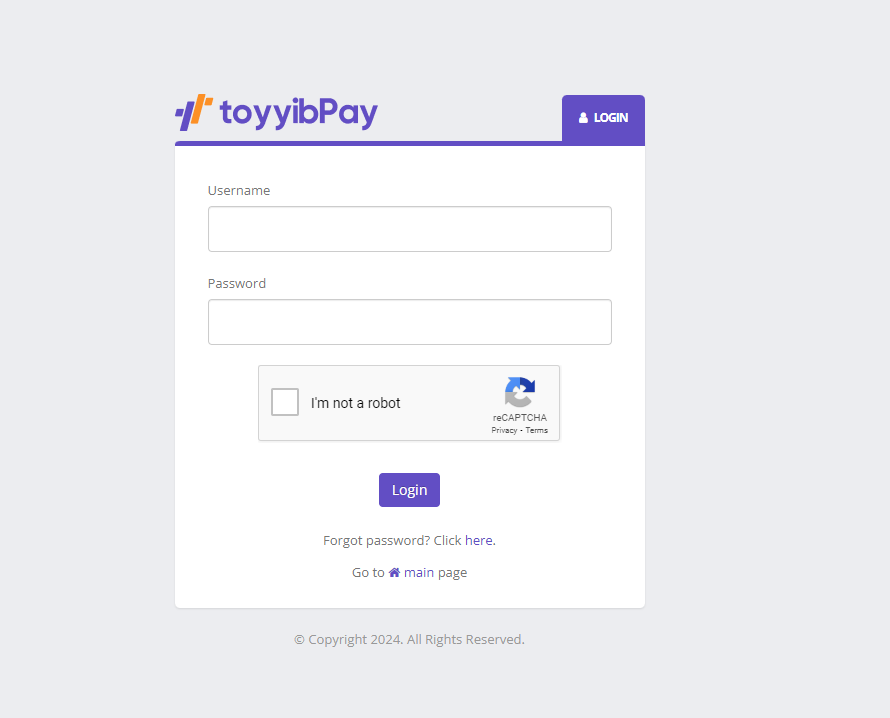
Go to Toyyibpay. If you have a Toyyibpay account, login; else, Signup.
2. Add Category
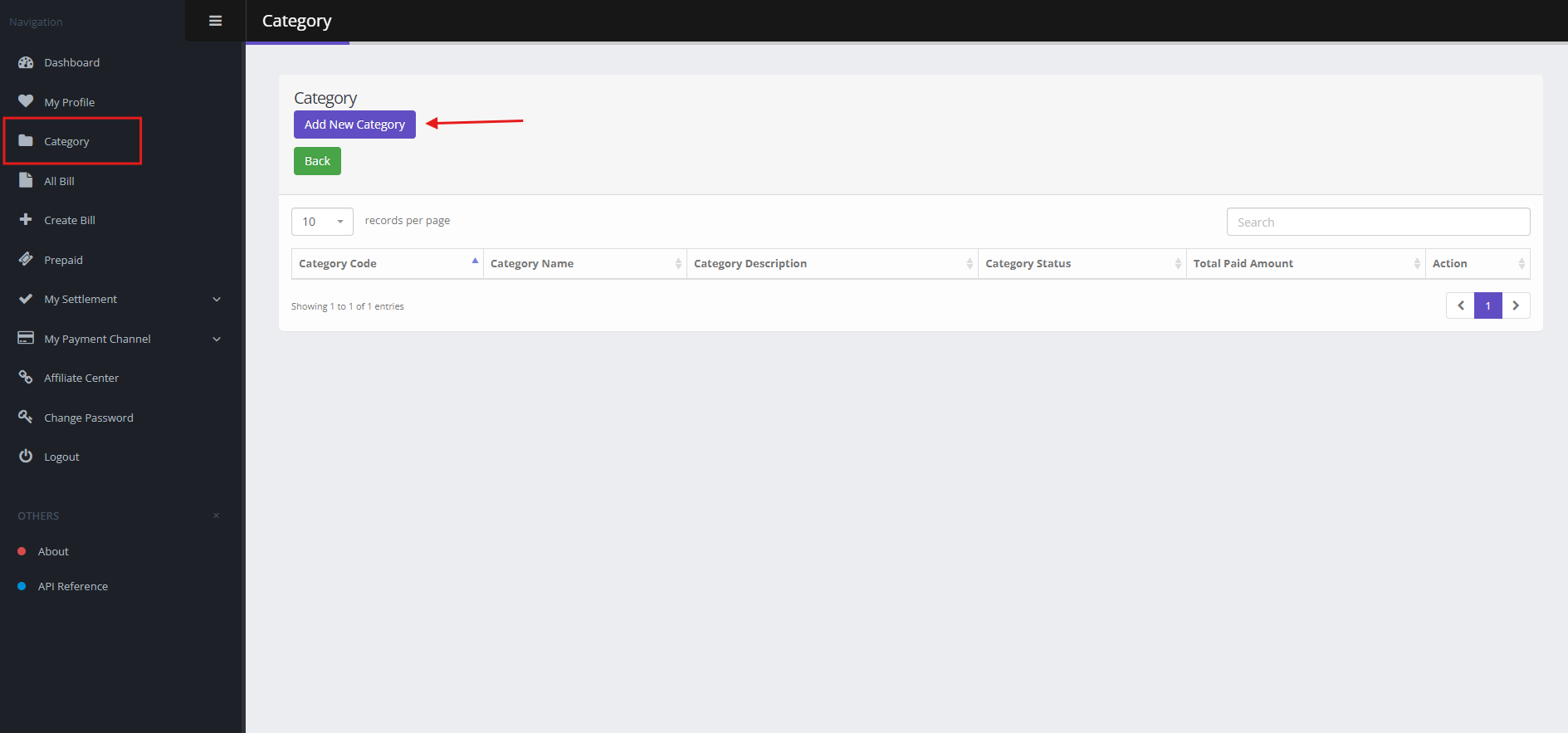
In the side menu, click on 'Category' and then select 'Add New Category.' After adding a new category, follow steps 3 and 4.
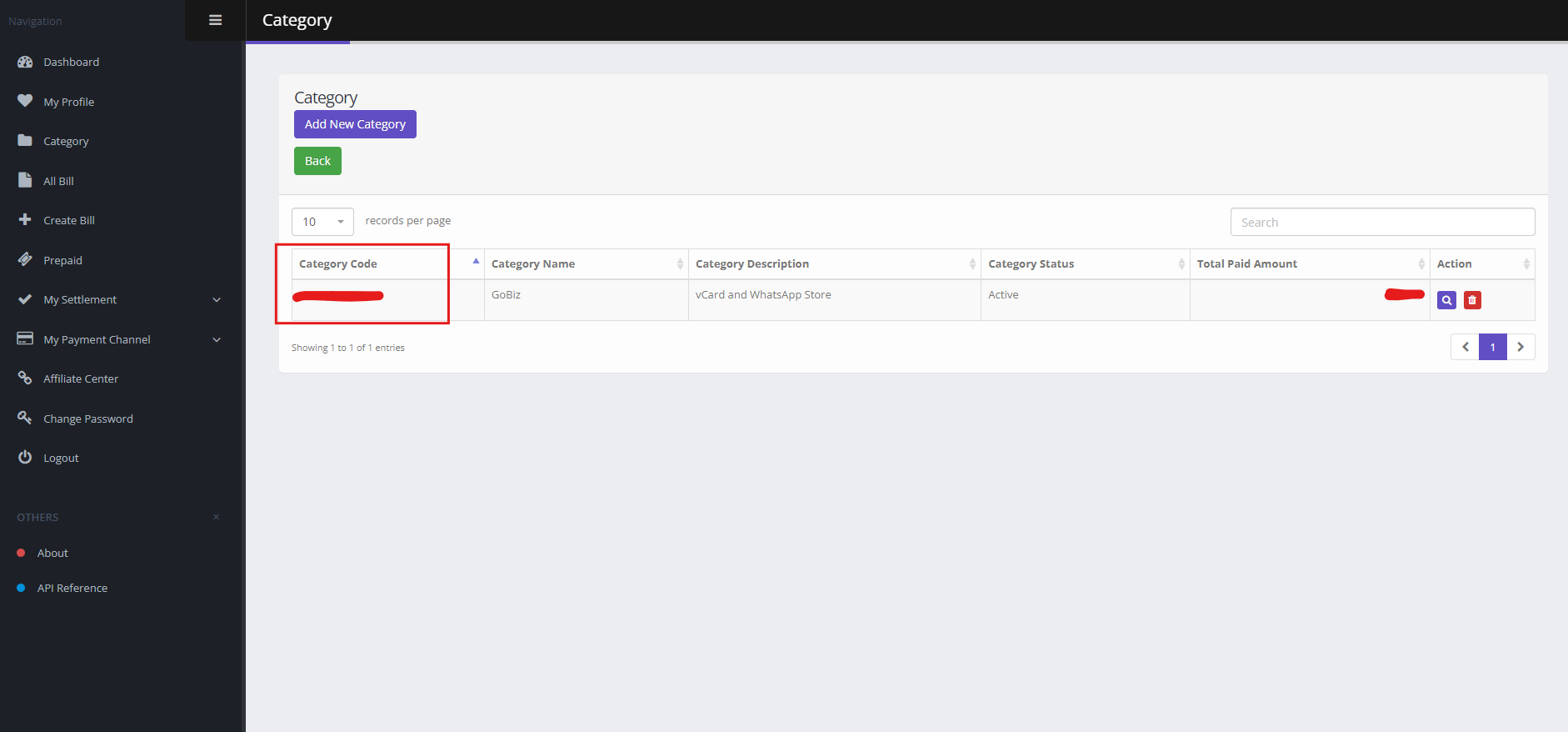
If a category already exists, you can copy its code from the Category Code column, then follow step 5.
3. Create Category
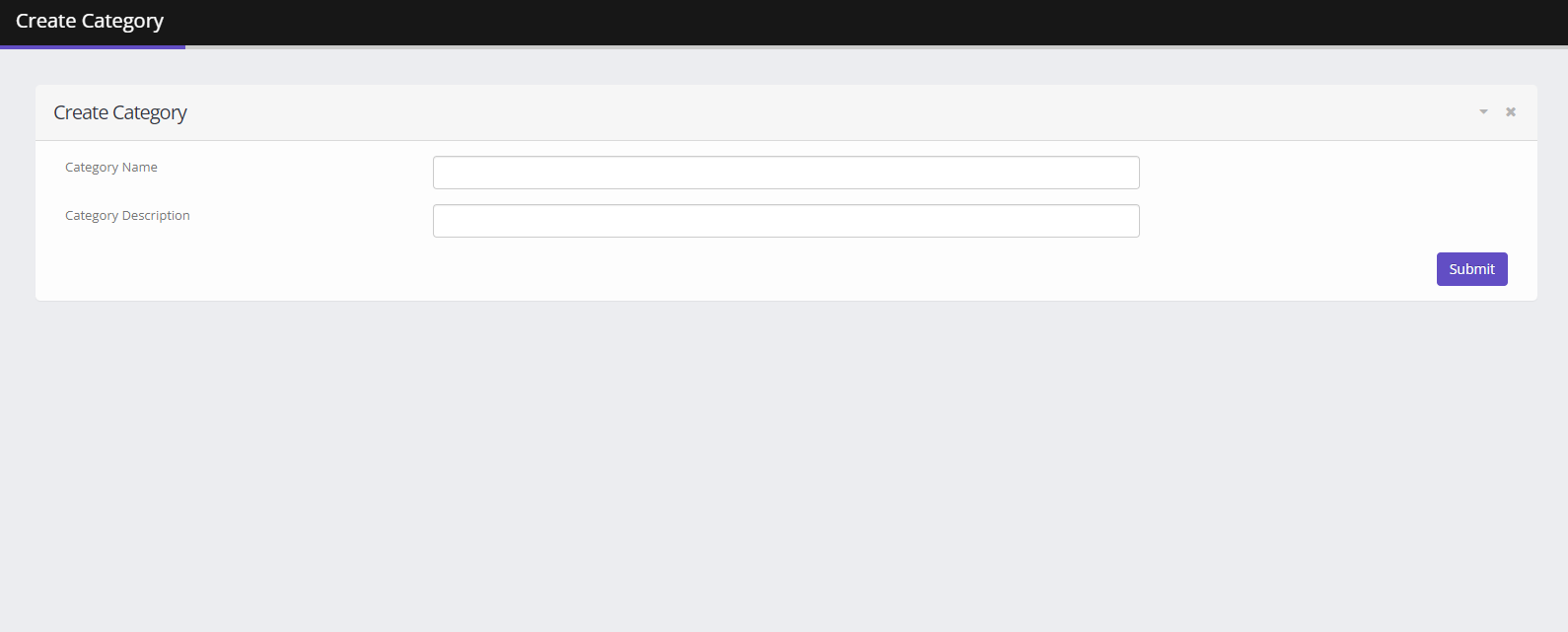
Enter the Category Name and Description, then click Submit to create the new category.
4. Category Dashboard
After adding the category, check it in the Category section, copy the Category Code, and click Dashboard.
5. Secret Key
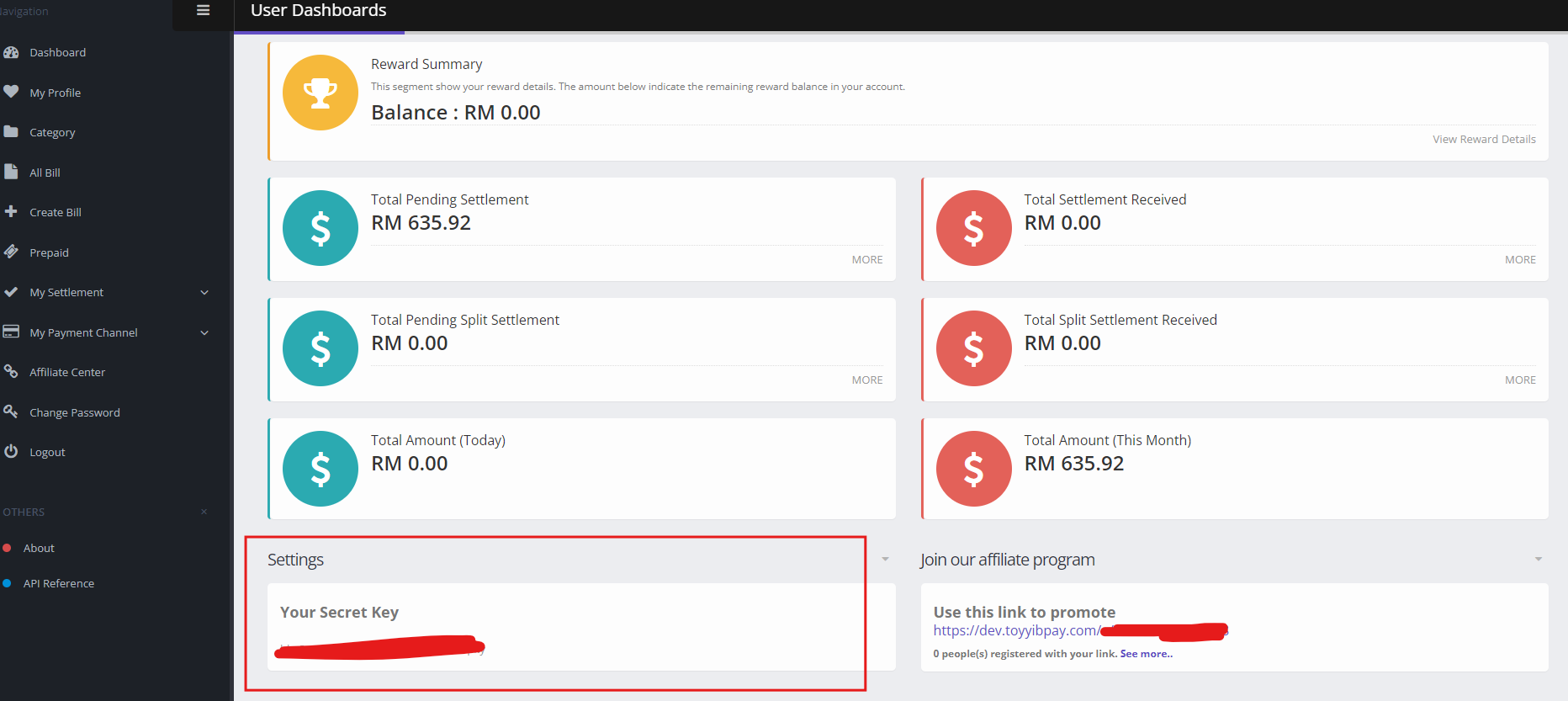
In the dashboard, scroll to the Settings section, locate your Secret Key, and copy it.
6. Admin Panel Setup
In the admin panel, go to: Payment Methods -> Toyyibpay -> Configure
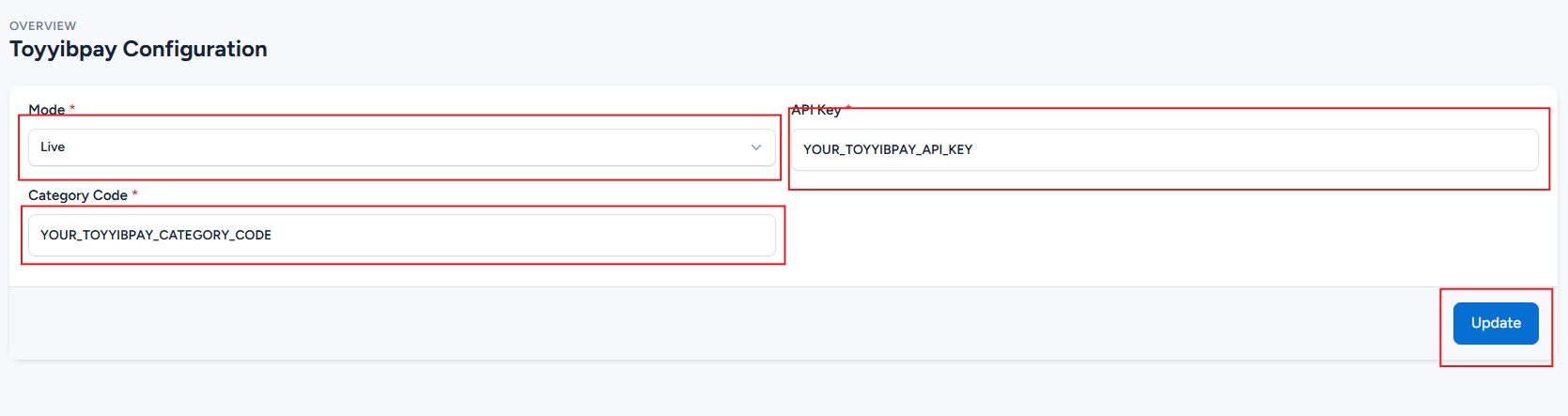
Paste the Category Code and then paste the Secret Key in the API Key field. Then, click 'Update' to save your changes.